
How to play
Moonbow Isles follows the match-three rules you may already know, with a few toys of its own. Here is everything you need for your first island.
Your first stage, step by step
Read the goal
Each stage shows its goal beside the board: gems of a colour to collect, covers to clear, or a boss to beat. You have a set number of moves.
Swap two neighbouring gems
Drag a gem one step, or tap a gem and then its neighbour. The swap only stays if it makes a line of three or more of the same gem.
Make bigger matches
Four in a line, five in a line, an L, a T or a square each leave a special gem behind.
Fire your specials
Swap a special with any neighbour to set it off.
Fill the Moonbow
Your matches fill the Moonbow meter round the Prism. When it is full, tap the Prism to release it.
Reach the goal
Finish the goal before your moves run out. Your score sets your stars.
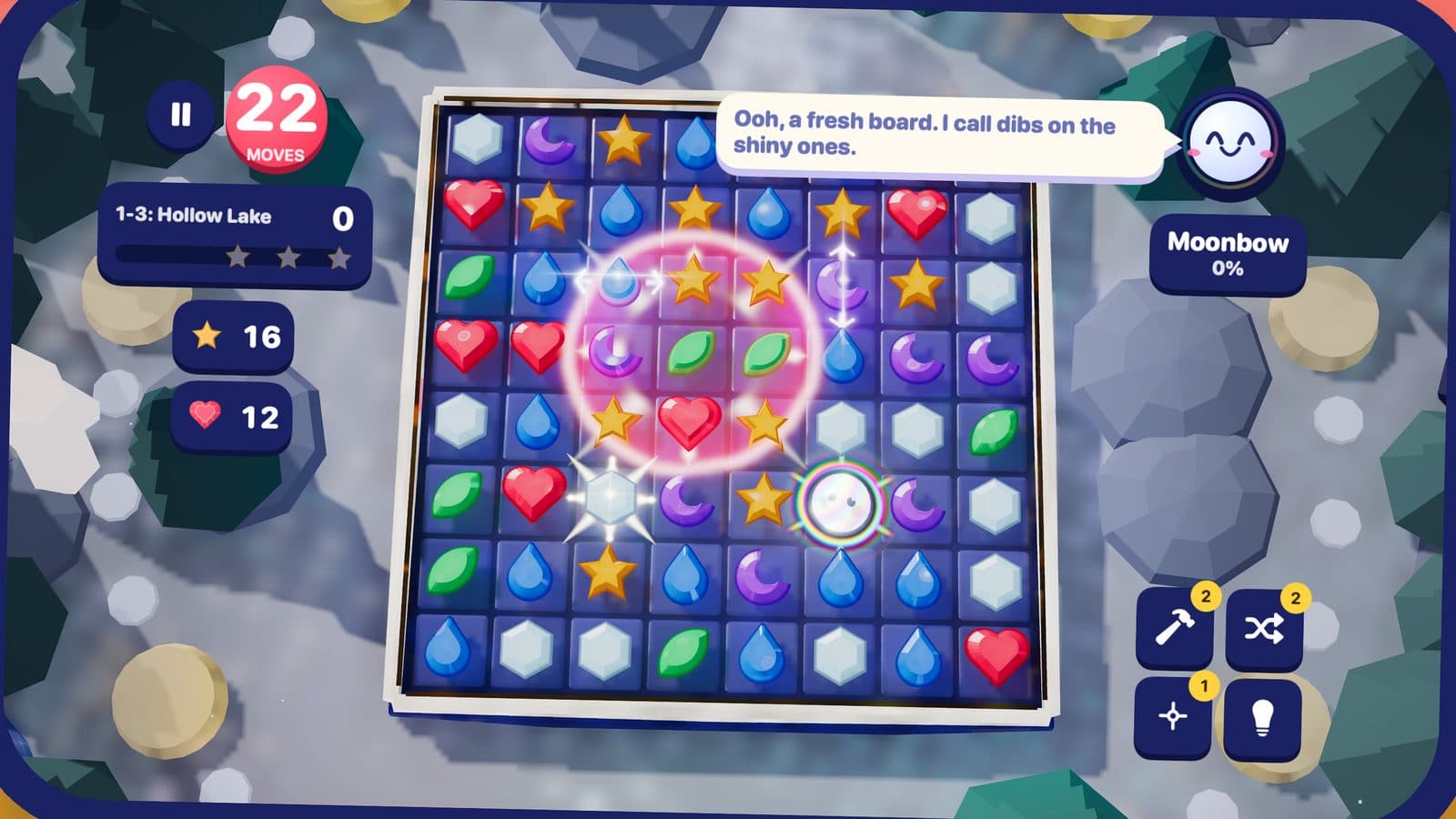
Matches
Line up three or more of the same gem in a row or column. Matches of four, five, L, T and square shapes make specials. A second move made during an animation is kept and played when the board settles.
Specials
In the game's own words:
Beam
Swap it with any gem to clear its whole row or column.
Nova
Swap it with any gem to clear the 3 × 3 square around it.
Prism
Swap it with any gem to clear every gem of that colour.
Boosters
Hammer breaks a gem, Shuffle mixes the board, Nova clears a cross, Hint shows a move.
The Moonbow
Tap the Prism to release five specials across the board.
Wishstones
A Wishstone hides under one crystal. Clear that cell to find it.
Wonder gems
A wonder gem sits in a ring of colour. Match it to start the island's wonder for three moves.
Ask the Prism
Double tap any cell to ask the Prism about it. It names what is on top, explains its rule and gives you one live fact, such as how many moves a fuse has left. Asking never costs a move.
Stars and scores
A won stage earns one to three stars from its score. Each stage keeps your best score. Below three stars you can play again; at three stars the next stage is one tap away.
Controls on every device
- iPhone and iPad
- Drag a gem one step, or tap a gem and then its neighbour.
- Mac
- Click and drag with a mouse or trackpad, or play with a game controller.
- Apple TV
- Move the cursor with the Siri Remote and click to pick and swap, or use a game controller.